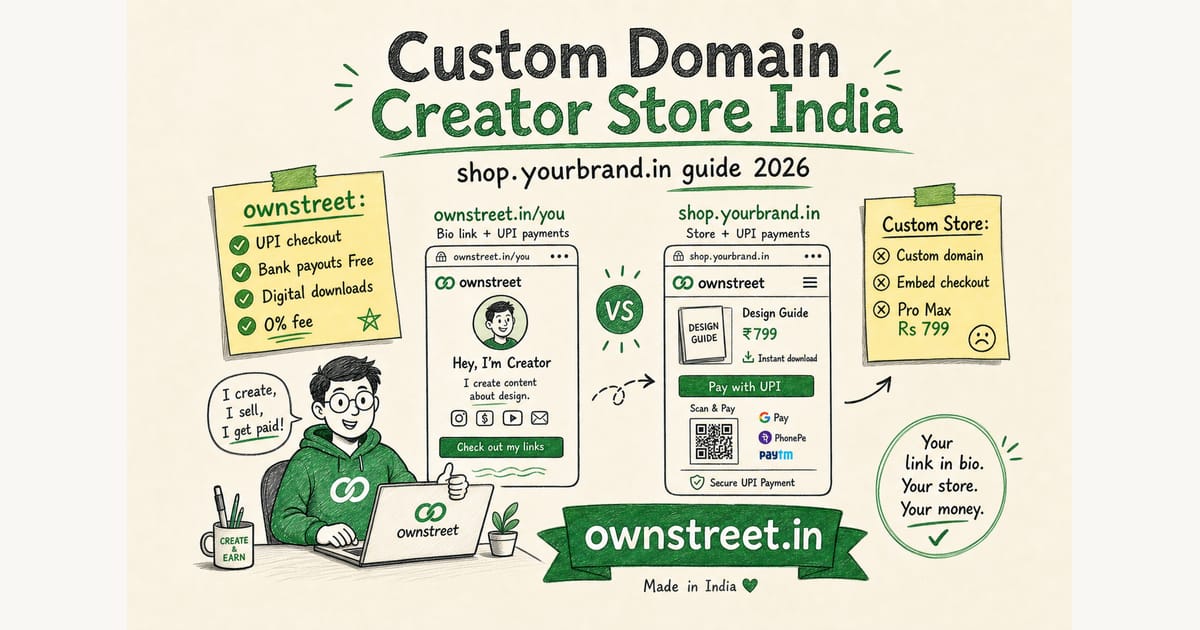
A custom domain creator store india setup means buyers land on shop.yourbrand.in (or store.yourname.in) instead of a platform path like ownstreet.in/username. Same UPI checkout. Same digital downloads. Stronger trust on Instagram ads, WhatsApp forwards, and payment receipts. This guide covers when a branded URL is worth it, how DNS works on ownstreet Pro Max, and the exact launch checklist so you do not break live sales while SSL propagates.
ℹ️ Quick answer
stay on ownstreet.in/you until Pro is paying for itself. Upgrade to Pro Max (₹799/mo) when you run paid ads, send invoices, or hear buyers ask if the link is legit. Custom domain is included on Pro Max, not on Free or Pro. Pro Max also unlocks the business shop card (name, GSTIN, support on storefront): Business details shown on storefront India.
Why Indian buyers care about the URL
Indian buyers pay with UPI every day. They still hesitate when the link looks like a random platform path, especially on first purchase from a Reel or Story. A branded host (shop.yourbrand.in) matches the name on your Instagram bio and the name on the Razorpay checkout screen. That consistency reduces drop-off before GPay opens.
- Ads and UTM links look cleaner in Meta Ads Manager and Google Analytics
- WhatsApp forwards show your brand, not a third-party slug
- Buyer emails and receipts feel white-label on Pro Max
- You can keep ownstreet.in/username as a backup while DNS settles
Payment rails stay the same: UPI via NPCI and your Razorpay (or bank payout) path. Domain branding does not replace KYC. It packages trust around checkout you already have.
ownstreet Free vs Pro vs Pro Max for domains
| Plan | Store URL | Custom domain | Best for |
|---|---|---|---|
| Free ₹0 | ownstreet.in/username | No | First live product, bank payouts or Razorpay keys |
| Pro ₹299/mo | ownstreet.in/username | No | Unlimited products, email capture (marketplace free after first sale) |
| Pro Max ₹799/mo | ownstreet.in/username + your domain | Yes (shop.yourbrand.in) | Ads, coupons, branded receipts, featured marketplace |
Full plan math: ownstreet Pro vs Pro Max. Pricing page: Pricing. Free to Pro first: Is ownstreet Pro worth it.
What you need before connecting a domain
- An active Pro Max subscription
- A domain you control (GoDaddy, Namecheap, Cloudflare, Google Domains reseller, Hostinger, etc.)
- Access to DNS records (CNAME and TXT)
- At least one live product with working UPI checkout already tested
- 15–30 minutes for DNS, then wait for SSL (often under an hour, sometimes up to 24h)
⚠️ Note
Do not announce shop.yourbrand.in in your bio until verification shows live. Pointing Instagram to a half-propagated domain kills trust faster than keeping the ownstreet path.
Step-by-step: connect shop.yourbrand.in on ownstreet
1) Pick a subdomain (recommended)
Use a subdomain like shop.yourbrand.in or store.yourbrand.in. Apex domains (yourbrand.in with no subdomain) are harder for beginners and often need A/ALIAS records. Subdomains map cleanly with a CNAME to Vercel DNS.
2) Add the domain in Dashboard → Custom domain
On Pro Max, open Dashboard → Custom domain, enter the hostname (example: shop.yourbrand.in), and save. ownstreet will show the DNS targets you must add at your registrar.
3) Add CNAME (and TXT if shown)
At your DNS host, create a CNAME for the subdomain pointing to `cname.vercel-dns.com` (or the exact target shown in your dashboard if it differs). If ownstreet asks for a TXT verification record (prefix `ownstreet-verify-`), add that too. Save and wait for DNS to propagate.
- Host/name: shop (or store), depending on your subdomain
- Type: CNAME
- Value/target: cname.vercel-dns.com
- TTL: Auto or 300 seconds while testing
4) Verify and wait for HTTPS
Click Verify in the dashboard. When status is live, open https://shop.yourbrand.in in an incognito window. Confirm your storefront, product page, and a ₹1 test checkout. SSL is issued automatically after DNS is correct. Docs for how the web works under the hood: MDN: DNS.
Launch checklist after the domain is live
- Update Instagram, YouTube, and LinkedIn bio to the new URL
- Update Link in bio CTAs and pinned comments
- Create one coupon on Pro Max for the domain launch (example: DOMAIN10)
- Re-test download email and payment receipt on the new host
- Keep ownstreet.in/username working as a redirect-friendly backup for old posts
- Add UTM tags on ads: shop.yourbrand.in/?utm_source=meta&utm_campaign=july
Discovery still helps: list on the creator marketplace while your branded store converts warm traffic. Marketplace buyers still check out on your storefront with UPI.
When a custom domain pays for the Pro Max gap
Pro is ₹299/mo. Pro Max is ₹799/mo. The ₹500 gap is covered by roughly one extra mid-ticket sale per month (example: one ₹499–₹999 template or PDF pack). Custom domain alone is not magic. It compounds when you already have traffic and a proven offer.
| Signal | Stay on Pro | Move to Pro Max + domain |
|---|---|---|
| Monthly sales | Under ~₹15k | Consistent sales, running promos |
| Traffic source | Organic bio only | Meta/Google ads or affiliate links |
| Buyer questions | Rare trust objections | People ask if the link is real |
| Ops need | Simple store | Coupons + UTM + white-label emails |
Selling without building a full site first: Razorpay setup for digital creators. Broader store build: Digital product store India.
Common DNS mistakes (and fixes)
- CNAME on the wrong host (you set @ instead of shop). Fix: use the subdomain host only.
- Proxy/orange-cloud on Cloudflare conflicting with SSL. Fix: DNS-only (grey cloud) while verifying.
- Old A record still pointing elsewhere. Fix: remove conflicting records for that hostname.
- Announcing the URL before verify succeeds. Fix: wait for live status, then update bio once.
- Mixing http and https bookmarks. Fix: always share https://shop.yourbrand.in
💡 Tip
If verify fails after 30 minutes, re-check spelling of the CNAME target, then wait another hour. DNS caches are slow on some Indian ISPs and office networks.
FAQ: Custom Domain for a Creator Store in India
Do I need Pro Max for a custom domain on ownstreet?
Yes. Custom domain storefront is a Pro Max feature. Free and Pro use ownstreet.in/username. Compare tiers on Pricing.
Will UPI still work on shop.yourbrand.in?
Yes. Checkout still runs through your connected Razorpay keys or bank payout path. The domain only changes the storefront host buyers see.
Can I use mybrand.in without a subdomain?
Prefer shop.yourbrand.in or store.yourbrand.in for a clean CNAME. Apex domains need extra DNS types and are easier to misconfigure. Start with a subdomain.
What happens if I cancel Pro Max?
Custom domain access is tied to Pro Max. If you downgrade, buyers should use ownstreet.in/username again. Update bios before the plan ends so links do not 404.
Is a custom domain required to sell digital products in India?
No. Thousands of creators sell from a platform URL. Domain is a trust and branding upgrade after product-market fit, not a day-one requirement.
Delivery paths that reduce DMs for custom domain creator creators
Automatic delivery after UPI beats "I will send the file tonight." Buyers forgive plain design; they do not forgive silence.
- Success screen + email both carry access.
- Test with a second account.
- Document install steps for templates.
- Keep the master file private.
- Browse: /marketplace.
Fair competitor research rules for custom domain creator creators
Open the other product’s live pricing and help pages this week. If a number is not on that page, do not put it in your blog or pitch.
- Screenshot the fee row with the date.
- Compare jobs: UPI, INR, delivery, marketplace.
- Migrate one bestseller first.
- ownstreet: 0% platform fee on sales.
- Compare plans: Pricing.
Bottom line
A custom domain creator store india setup is the right move when your offer already sells and you want the URL to match your brand on ads, WhatsApp, and receipts. On ownstreet, that means Pro Max, a CNAME to Vercel DNS, verify in the dashboard, then one clean bio update. Keep UPI, keep 0% ownstreet platform fee on sales, and let the branded host do the trust work.
Share this post
Further reading

Lakshath
Founder, ownstreet · ownstreet
Updated Sept 2026