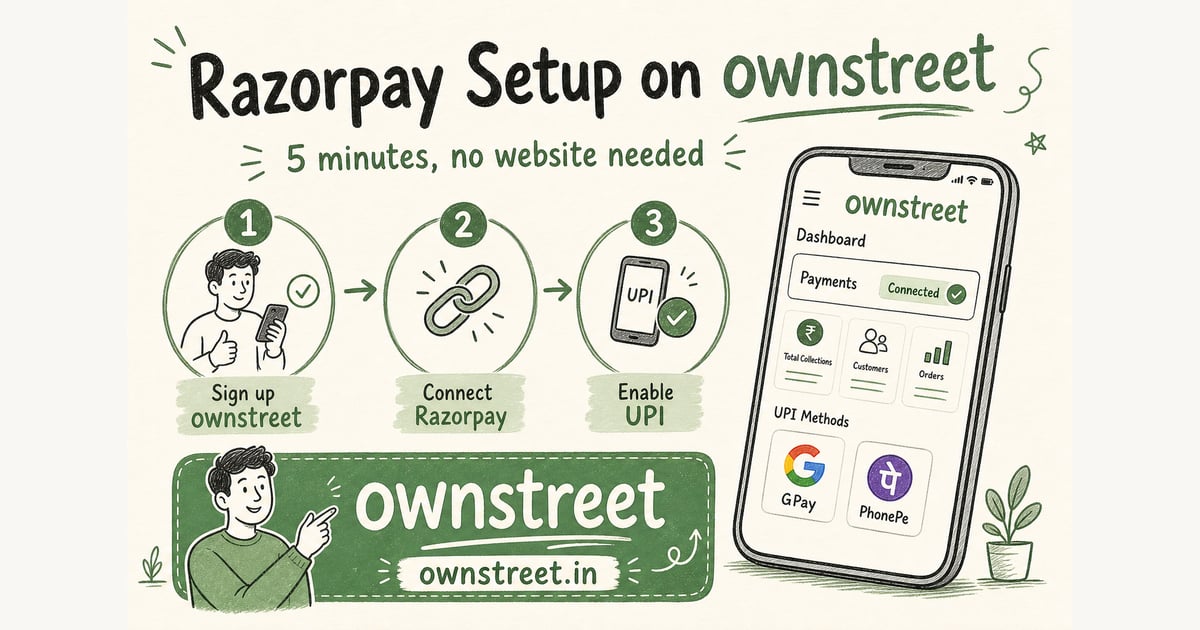
If you searched razorpay setup for digital creators, you probably have a PDF, preset pack, or template ready but payments feel scary. Razorpay looks technical. KYC forms ask for a website. You do not run a company. Good news: solo Indian creators connect Razorpay every day on ownstreet without building WordPress or registering a Pvt Ltd. This guide walks you from zero to pasted keys in about 5 minutes of active work (KYC approval itself may take 1–2 business days).
ℹ️ Quick answer
Quick answer: sign up on Razorpay as Individual, use your ownstreet.in/your-username URL as your website, complete KYC, generate API keys under Settings → API Keys, paste Key ID + Secret on ownstreet Dashboard → Payments, click Verify. Use test keys while KYC is pending.
What you need before you start (2-minute checklist)
- An ownstreet account with a username (your store link is ownstreet.in/your-username)
- At least one product draft or live product on your page (so Razorpay reviewers see what you sell)
- PAN card (yours, if signing up as individual)
- Aadhaar or passport for ID proof
- Bank account in your name (for settlements)
- Phone number for OTP verification
- 10 minutes of calm focus (do not rush while copying API keys)
You do not need: a custom domain, a Pvt Ltd company, GST registration (many early creators are below threshold), or a developer. You do not need to code. ownstreet handles checkout after you paste keys.
Why Razorpay (and why creators stall here)
Indian buyers pay with UPI. DM screenshots and Google Pay links do not scale and invite fake payment fraud. Razorpay is the payment gateway that powers UPI, cards, and wallets on your product page. ownstreet connects to your Razorpay account so money settles to your bank. ownstreet charges 0% platform fee on product sales. Razorpay charges a small gateway fee per transaction (see Razorpay pricing).
- Without Razorpay: you cannot accept automated UPI checkout on ownstreet
- With Razorpay: buyer pays → payment verified → file delivers automatically
- Most creators who stall are scared of KYC wording, not the actual form
The no-website myth (your ownstreet page counts)
Razorpay asks for a website during verification. You do not need to buy a domain or hire someone to build a site. Your ownstreet storefront is your website. Example: `https://ownstreet.in/your-username`. Put that exact URL in Razorpay. Publish one product with a clear title and price before submitting KYC so reviewers see a real digital product page.
💡 Tip
In Razorpay, pick business category: Software/Digital Services, Education, or E-learning. For refund policy, link to your product description plus ownstreet's refund policy. Match what you tell buyers on your product page.
Step 1: Create your Razorpay account (2 minutes)
- Open Razorpay signup in a new tab
- Sign up with email or mobile number
- Verify OTP on your phone
- Enter your PAN when asked
- Choose business type: Individual / Proprietorship if you are a solo creator (most common)
- Skip company registration paths unless you actually have a registered company
If you sell as a freelancer, coach, or Instagram creator, Individual is correct. Do not overthink business type. Wrong type slows KYC; Individual is the default for digital creators.
Step 2: KYC documents (what to keep ready)
| Document | Format | Tips |
|---|---|---|
| PAN card | Photo or scan, under 2MB | Name must match bank account |
| Aadhaar (front + back) | JPG or PDF | Or use passport / voter ID |
| Bank proof | Cancelled cheque or statement | Must show account number, IFSC, your name |
| Business proof (optional for individuals) | Sometimes not required | Your ownstreet URL + product page often enough |
Upload clear colour photos. Blurry Aadhaar photos are the #1 reason KYC gets sent back. Razorpay usually responds in a few hours to 2 business days. You can still paste test keys and build your store while waiting.
Step 3: Fill the Razorpay activation form (plain English)
Website URL
Paste your ownstreet store: `https://ownstreet.in/your-username`. Not your Instagram link. Not a blank Notion page. The URL should show your bio page and at least one product when Razorpay opens it.
What do you sell?
Write plainly: "Digital downloads including PDF guides, Notion templates, Lightroom presets, and online courses delivered instantly after payment." Match what is actually on your store.
GST
If you are below GST registration threshold, Razorpay may ask for a non-enrollment declaration. Many early-stage creators are not GST registered yet. Confirm your situation with a CA if turnover grows. Official reference: GST portal.
Bank account
Use a personal or business account where settlements should land. Name on bank must match PAN. Double-check IFSC code before submit.
Step 4: Generate API keys (the part that feels technical but is not)
API keys are two strings Razorpay gives you so ownstreet can open checkout on your behalf. You copy them once from Razorpay and paste into ownstreet. You never share them in WhatsApp or screenshots.
- Log in to Razorpay Dashboard
- Go to Settings (gear icon) → API Keys
- Click Generate Key (or Generate Test Key while KYC pending)
- Download or copy Key ID (starts with `rzp_live_` or `rzp_test_`)
- Copy Key Secret immediately. Razorpay shows the secret only once. If you lose it, generate a new pair.
- Optional video walkthrough: Razorpay YouTube: generate API keys
- Official docs: Razorpay API keys
⚠️ Note
Key Secret is private. Never paste it in Instagram DMs, Discord, or ChatGPT. Only paste into ownstreet Dashboard → Payments. ownstreet encrypts it before storage.
Step 5: Paste keys into ownstreet (1 minute)
- Log in to ownstreet
- Open Dashboard → Payments (or go to `/dashboard/razorpay`)
- Paste Key ID in the first field (format: `rzp_live_...` or `rzp_test_...`)
- Paste Key Secret in the second field
- Click Verify & start accepting payments
- Green status = keys saved and verified. Amber = keys saved, KYC may still be pending.
Ownstreet checks your keys against Razorpay instantly. If you see "Invalid credentials," re-copy from Razorpay without extra spaces. If you see KYC pending, keys are still saved. Switch to live keys after Razorpay approves your account.
Test mode vs live mode (which keys to use when)
| Key type | Starts with | Use when |
|---|---|---|
| Test keys | rzp_test_ | Practicing checkout, KYC still pending, fake ₹1 payments |
| Live keys | rzp_live_ | Real buyers paying real money after Razorpay activates account |
Test a full payment yourself: open your store on mobile, buy your product with UPI from a second account or test flow, confirm download email arrives. NPCI background on UPI: NPCI UPI overview.
What happens after you connect (buyer journey)
- Buyer taps your bio link → lands on ownstreet.in/your-username
- Buyer taps Buy on a product → Razorpay checkout opens (UPI, card, wallet)
- Buyer pays → Razorpay confirms payment to ownstreet
- Buyer gets download link or email automatically
- Money settles to your Razorpay-linked bank on Razorpay's schedule
You do not manually send files after each sale. That is the whole point. For first-sale checklist, read First Digital Product Sale India. For where to sell after payments work, read Where to Sell Digital Products India.
Common problems (and exact fixes)
"Invalid credentials" when I paste keys
Regenerate keys in Razorpay. Copy Key ID and Secret again with no leading/trailing spaces. Make sure you did not swap the two fields. Use keys from the same mode (both test or both live).
KYC stuck in pending
Wait 1–2 business days. Check email from Razorpay for document resubmit requests. Ensure your ownstreet page shows a product. Reply to Razorpay support with your storefront URL if asked.
Checkout works on desktop but buyers fail on UPI
Confirm live keys (not test) are connected. In Razorpay Dashboard → Settings → Payment methods, ensure UPI is enabled. Test from your own phone on mobile data, not only WiFi.
International cards fail
Enable international payments in Razorpay Dashboard → Settings → Payment methods if you sell to buyers outside India. Most Indian creator sales are domestic UPI.
I do not have a product yet
Create a draft product first on ownstreet Dashboard → Products. Even a ₹99 test PDF helps Razorpay reviewers and lets you test checkout end to end.
Razorpay fees vs keeping margin (simple math)
Razorpay charges a gateway fee per successful payment (see their pricing page for current rates). ownstreet does not add a platform fee on top of product sales. On a ₹499 PDF, you keep ₹499 minus Razorpay gateway fee, not minus 10% Gumroad-style platform tax. Compare stacks in Gumroad Alternative India.
Security habits every creator should follow
- Regenerate API keys if you ever pasted them in the wrong place
- Do not share Key Secret in screen recordings when recording tutorials
- Use live keys only on the device you trust for dashboard login
- Disconnect keys from ownstreet if you sell your account or stop creating (Dashboard → Payments → Disconnect)
Your 5-minute action plan (do this now)
- Minute 1: Open Razorpay signup, choose Individual, verify phone
- Minute 2: Copy your ownstreet.in/your-username URL, publish one product
- Minute 3: Start KYC upload (finish later if you need documents)
- Minute 4: Generate test API keys in Razorpay Settings → API Keys
- Minute 5: Paste into ownstreet Dashboard → Payments → Verify
After verify succeeds, share your store link in bio and run one real ₹1 or full-price test payment. Technical deep dive (webhooks, delivery): Razorpay Setup Digital Products India.
FAQ: Razorpay Setup for Digital Creators
Can I connect Razorpay without a website?
Yes. Use your ownstreet storefront URL as your website in Razorpay. You do not need WordPress, Shopify, or a custom domain.
Do I need a company to sell digital products in India?
No. Most solo creators sign up as Individual / Proprietorship on Razorpay. Register a company only when your CA or scale demands it.
How long does Razorpay KYC take?
Often a few hours, sometimes 1–2 business days. Use test keys and set up products while you wait.
Is Razorpay safe for buyers?
Razorpay is a licensed payment aggregator used by major Indian apps. Buyers see a familiar checkout. ownstreet verifies payments server-side so fake screenshots cannot unlock downloads.
What if I already use Gumroad?
You can migrate Indian buyers to ownstreet + Razorpay for UPI. Migration checklist: Switch From Gumroad India.
Where do I paste keys in ownstreet?
Dashboard → Payments at ownstreet.in/dashboard/razorpay. Paste Key ID and Key Secret, then click Verify.
Share this post
Further reading

Lakshath
Founder, ownstreet · ownstreet
Updated Sept 2026