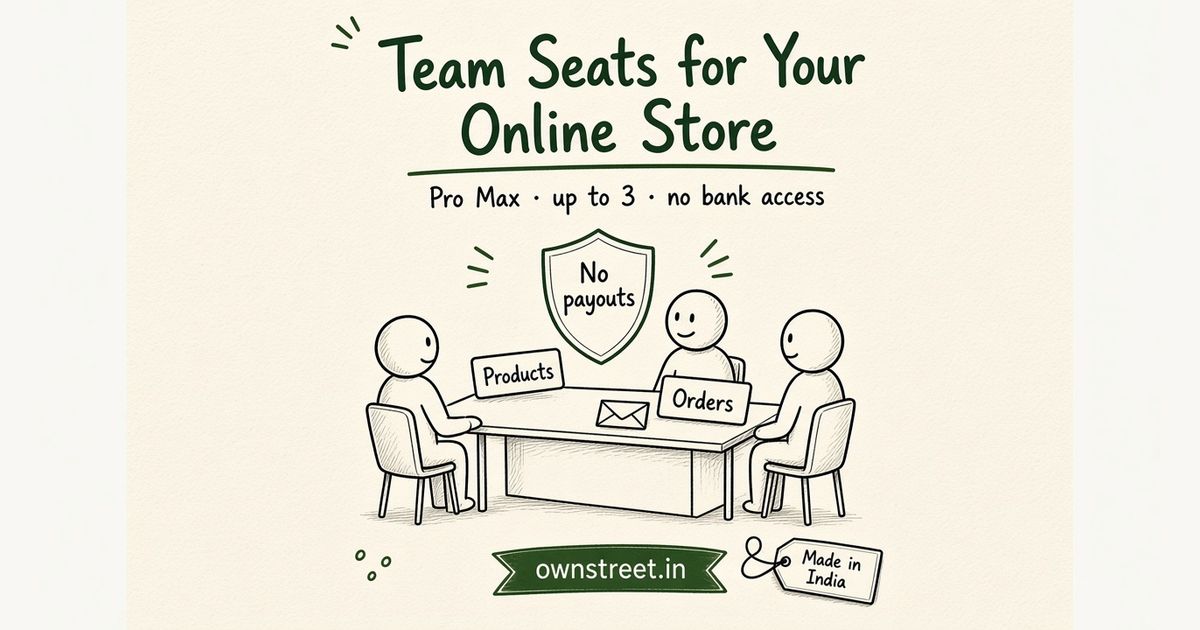
You are past solo founder mode on an online store. Someone else needs to upload the next PDF, answer “where is my file?”, or check yesterday’s orders, and you do not want to hand them your Razorpay keys. This guide is the Pro Max how-to: invite up to 3 staff from Dashboard → Team, pick a products or orders role, and keep bank access on the owner account only. Plan ladder: ownstreet Pro vs Pro Max. Coupons for the same launch weekend: How to launch digital products with coupon codes in India. Checkout rails: NPCI UPI. Gateway fees: Razorpay pricing.
Note
team seats are Pro Max (₹799/mo), not Free or Pro. Cap is 3 open seats (invited + active). Products role uploads and edits products. Orders role views orders and analytics read-only. Staff cannot manage the team, touch payouts, or open bank settings. Plans: Pricing.
Who needs team seats
- Creators who hire a VA to upload covers, titles, and files while they shoot Reels
- Coaches whose ops person checks orders after a WhatsApp launch
- Small teams that share product work but never share the payout login
- Anyone who was emailing a Drive folder and a password because “dashboard access” felt unsafe
If you still sell one PDF alone and reply to every DM yourself, stay on Pro. Team seats pay off when a second person touching the catalog every week is cheaper than you doing it at midnight.
What each role can do
| Role | Can do | Cannot do |
|---|---|---|
| Products | Upload and edit products on your store | View orders as the main job, manage team, open bank or payouts |
| Orders | View orders and analytics read-only | Edit products, manage team, open bank or payouts |
| Owner (you) | Everything, including invites and payouts | N/A |
Pick the narrowest role that matches the job. A designer does not need order history. An ops VA does not need product edit if they only confirm deliveries.
How to invite team seats on your online store
- Upgrade to Pro Max if you are not already on it.
- Open Dashboard → Team.
- Enter the person’s email and choose Products or Orders.
- Send the invite. They get a join link (invite links expire after 7 days).
- They sign in and accept. The seat moves from invited to active.
- Revoke a seat anytime when the help ends or someone leaves.
What not to do
- Sharing your owner password so a VA can “just upload one file”
- Inviting someone to Products when they only need to read orders
- Expecting Free or Pro to unlock seats. That gate is Pro Max only
- Letting staff manage the team. Only the owner invites and revokes
- Assuming a seat replaces your GST or coupon setup. Those are separate Pro Max tools
Business trust on the storefront is a different toggle: Business details shown on a storefront in India. Tax invoices for company buyers: GST invoice for digital product sellers in India.
Owner checklist before you invite anyone
- Confirm you are on Pro Max (₹799/mo). Free and Pro do not unlock seats
- Decide Products vs Orders before you type the email
- Tell the VA which product fields they may change (title, cover, file) and which stay yours (price, refunds)
- Never share owner password, Razorpay keys, or bank OTP as a "temporary" workaround
- Revoke the seat the same day a contractor finishes the launch week
- Keep payouts and GSTIN edits on your login only
UPI sales still settle to the owner’s payout setup: NPCI UPI. Gateway fees: Razorpay pricing. Staff help with catalog or order views; they do not replace your payment connection.
When Free or Pro is enough (no seats yet)
- You still upload every file yourself and reply to every "where is my PDF?" DM
- You have one live product and no VA budget this month
- You only need a second pair of eyes on Screenshots, not dashboard access
Stay on Pro (₹299/mo) for unlimited products and email capture. Move to Pro Max when a real seat is cheaper than another late night. Plans: Pricing.
Checkout and delivery checklist
Optimize for Indian buyers: INR on the product card, UPI on mobile, and automatic delivery after a verified pay. Fancy design rarely beats a working checkout for team seats online store.
- Write the offer in one sentence before redesigning covers.
- Run one real UPI test purchase on mobile data.
- Pin one product URL in bio; remove clutter.
- Track completed pays for seven days before switching tools.
- Plans: Pricing. Start: Signup.
A one-week execution rhythm
Day 1: publish or fix the product page. Day 2: real UPI test buy. Day 3–5: one CTA daily where buyers already are. Day 6: turn DMs into FAQ lines. Day 7: keep or tweak price once.
- Do not juggle five offers while you are still testing.
- Save objections and refund reasons in a notes doc.
- Prefer verified checkout over personal UPI screenshots.
- UPI context: NPCI UPI overview.
- Gateway fees: Razorpay pricing.
Mistakes that waste the first week
Most failures are process failures: unclear offer, card-only checkout for India phones, silent delivery, or invented fee comparisons. Fix the rails before you chase another platform.
- Titles no human would say out loud.
- Launching ten SKUs before one checkout works.
- Training buyers to pay on personal QR just once.
- Skipping mobile-data testing.
- Related: Sell digital products India.
Tip
ownstreet takes 0% platform fee on product sales. Free allows one live product; Pro is ₹299/mo when you need more. See Pricing.
Trust notes that cut support drama
Trust compounds when delivery is instant and support replies with an order id. Keep a paper trail: purchase email, settlement export, and a one-line refund policy visible before pay.
- State what happens if the download link fails.
- Do not promise outcomes you cannot deliver.
- Help: /help.
- Launch: How to start selling digital products India.
Bottom line
Team seats for an online store in India are for handing catalog or order work to someone else without sharing the bank. Pro Max, three seats, two roles, owner-only payouts. Invite from Dashboard → Team when a second pair of hands is cheaper than another late night.
FAQ: Team Seats for an Online Store in India
How many team seats do I get?
Up to 3 open seats on Pro Max. That count includes invited people who have not accepted yet. Remove one before you add another if you are at the cap.
Can staff see my bank or Razorpay keys?
No. Seats are products-only or orders-only. Payouts and bank settings stay on the owner account.
Does the staff person need their own Pro Max?
No. Your Pro Max covers the seats. They sign in with their own login and work inside your store’s allowed screens.
What if the invite email expires?
Invite links last 7 days. Revoke the old seat if needed, then send a fresh invite from Dashboard → Team.
Is this the same as marketplace team buying?
No. This page is staff access to your seller dashboard. Corporate buyers purchasing coaching packs is a different story (invoices and GSTIN), not team seats.
Share this post
Further reading

Lakshath
Founder, ownstreet · ownstreet
Updated Sept 2026