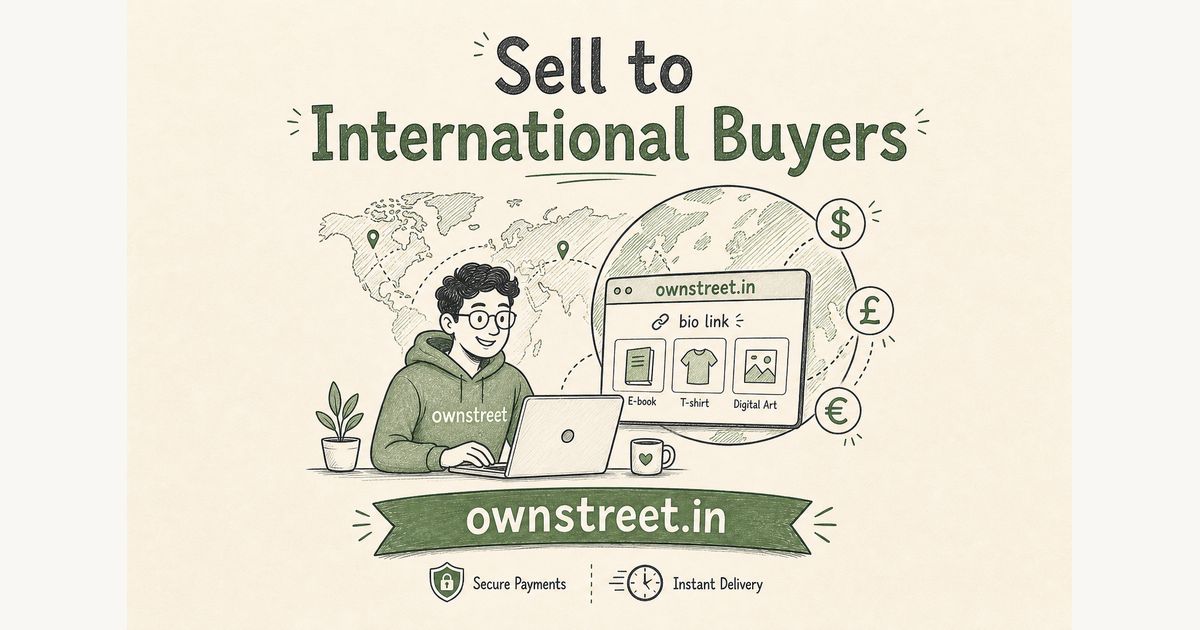
If you want to sell digital products to international buyers India is your home base, the friction is usually checkout, not demand. You sell PDFs, Lightroom presets, Notion templates, or ebooks. Some followers are in UK, US, Canada, or Australia. They want to buy. But your product shows a rupee price, and their card gets declined or they bail because it looks India-only. Razorpay supports international card payments on Indian merchant accounts. On ownstreet, Free, Pro, and Pro Max sellers with their own Razorpay keys can set USD, GBP, or EUR prices. A buyer in California opens your link, sees 9 dollars, pays with their Visa, and gets the download. Razorpay converts and settles rupees to your account. No new merchant account, no Stripe, no PayPal setup.
ℹ️ Quick answer
Who this works for: Indian creators on any ownstreet plan with live Razorpay keys (BYOK) and International Payments enabled in Razorpay. Bank payouts (bank account + PAN only, no Razorpay keys) stay INR-only. Free still means 1 live product and up to 5 paid sales. Razorpay requires Indian PAN and bank account for KYC, so non-Indian creators cannot sign up as merchants.
Why ₹499 is the wrong price for a UK buyer
A buyer in London sees ₹499 and has to mentally convert it to about 4.70 pounds. Most do not. They either bounce or think the product is cheap and skip it. A product priced at £4.99 or $6 reads clearly to them. Same product, same file, much less friction. Price anchoring works differently by currency. ₹999 sounds like a lot in India. $12 sounds like nothing to a buyer in the US who spends $15 on a streaming subscription every month.
What changed with Razorpay international payments
Razorpay enabled international card acceptance on Indian merchant accounts. Before this, buyers outside India using Visa or Mastercard would often see a payment failure or a bank decline. Now those cards go through. The buyer pays in the currency you set on the product. Razorpay converts at the live exchange rate and settles INR to your linked bank account. You do not need a separate USD bank account or a forex account. The conversion happens on Razorpay's side. Confirm settings in the Razorpay international payments docs and your dashboard before you go live.
⚠️ Note
Razorpay applies a small international transaction fee on top of the standard gateway fee. Check your Razorpay dashboard for your exact rate. Also, your Razorpay account must have International Payments explicitly enabled. Log into Razorpay, go to Settings, and confirm international payments are turned on before pricing a product in USD.
Step-by-step: setting a USD price on ownstreet
- Sign up free at ownstreet.in/signup (or log in).
- Go to Dashboard → Payments and connect your live Razorpay Key ID and Key Secret.
- In Razorpay, enable International Payments for your account.
- Create or edit a product. Upload the file buyers should download.
- In the pricing section, click the currency toggle and switch from INR to International. A dropdown appears. Pick USD, GBP, or EUR.
- Set the price in that currency (for example $9 or £7). Save and publish.
- Share your store or product link. Buyers abroad pay by card; Indian UPI buyers need an INR-priced product or an INR checkout path.
That is the full setup. You do not need a separate product for Indian vs international buyers if you only sell abroad. If you sell to both, consider two versions: one INR for UPI buyers and one USD for card buyers abroad. Or price the INR product and let international buyers pay in rupees using their international Visa or Mastercard. International cards now work on INR checkouts too.
What currency should you pick: USD, GBP, or EUR
Pick the currency of your main international audience. If most of your international followers are in US, Canada, or Australia, use USD. UK followers, GBP. European followers, EUR. USD is the safest default because it is the most widely recognized and buyers from anywhere are comfortable paying in dollars. A buyer in Singapore or Japan is more likely to have USD set up on their card than they are to see EUR and feel confident.
How to price in USD without undercharging
Indian creators tend to underprice when switching to dollars. ₹499 feels like a lot, so they assume $5 is right. It usually is not. A buyer in the US or UK buying a Notion template, preset pack, or ebook from an Indian creator is already getting a deal compared to what they pay for similar products elsewhere. Price for the value, not the conversion rate.
| Product type | Typical INR price | Suggested USD price | Why |
|---|---|---|---|
| Single Notion template | ₹199 | $4-6 | Low effort buy, impulse range |
| Lightroom preset pack (10-30 presets) | ₹499-799 | $9-14 | Comparable to global preset packs |
| Ebook or PDF guide (20-50 pages) | ₹299-599 | $7-12 | Matches typical ebook range abroad |
| Full digital course (video + PDF) | ₹999-1999 | $19-35 | Course pricing in US starts at $20+ |
| Premium template bundle | ₹799-1499 | $15-25 | Bundle pricing works in all currencies |
Do not just divide your rupee price by 85 and round down. Price to the nearest psychologically clean number in that currency. $9 is better than $8.27. $14 is better than $13.50.
Who is actually buying from India abroad
The biggest international buyer segment for Indian creators right now is NRIs: Indians living in UK, US, Canada, UAE, Singapore, and Australia. They follow Indian creators on Instagram and YouTube for content that is culturally relevant to them: Indian fitness routines, Hindi language resources, Desi food plans, finance guides for the Indian diaspora, and template packs built around Indian workflows. These buyers are already warm. They know you. They just could not pay easily before.
The second segment is non-Indian buyers who found your product through search or Pinterest and do not care where you are from. A Lightroom preset buyer in Brazil does not care that you are in Chennai. If the presets look good in the preview, they buy. These buyers often cannot use UPI at all, so the international card option is the only path that works for them.
How payments work end to end
- Buyer opens your ownstreet product link from anywhere in the world.
- Buy page shows the product in USD (or GBP/EUR if you set it that way).
- Buyer enters their Visa or Mastercard details in the Razorpay checkout.
- Razorpay processes the international card payment and converts to INR at the live rate.
- ownstreet delivers the file to the buyer's email instantly.
- Razorpay settles INR to your linked bank account on the usual settlement cycle (typically after about 2 working days for India domestic).
What does not work for international buyers
UPI does not work for international buyers. UPI is an Indian payment system tied to Indian bank accounts (NPCI UPI overview). A buyer in UK cannot have a UPI handle. If you are on bank payouts only (no Razorpay BYOK), international currency pricing is not available since bank payouts only support INR. Do not promise a buyer abroad that they can pay by UPI, they cannot.
Marketing your product to international buyers
Now that the payment works, make sure buyers outside India can find you. A few things that actually move the needle:
- Mention your product is available internationally in your bio and Instagram captions. Most followers assume Indian products need an Indian card.
- Use English-first titles and descriptions on your products when targeting international buyers. Avoid price mentions in rupees in the product title.
- Pin a post or story specifically for your NRI or international followers. Something like: now available for buyers outside India, pay in dollars.
- Create a Pinterest pin for the product with a dollar price visible. Pinterest has strong international reach for digital product searches.
- If you have an email list, segment and send a one-time note to people who signed up with .co.uk, .com.au, or US email providers.
Free vs Pro for international sales
USD, GBP, and EUR pricing needs your own Razorpay keys on Free, Pro, or Pro Max. Free still caps at 1 live product and 5 paid sales, then upgrade to keep selling. Pro at ₹299/month unlocks unlimited live products, verified buyer reviews, PDF email-stamping, email list capture, and buyer requests. Marketplace listing is free after first sale on every plan. Pro Max is ₹799/month for custom domain, coupons, and Featured marketplace. Related guides: Razorpay setup for digital products, bank payouts vs BYOK, and ownstreet Pro vs Pro Max.
FAQ: Sell Digital Products to International Buyers from India
**Do I need Stripe or PayPal?** No. With your Razorpay keys on ownstreet, international Visa and Mastercard payments run through Razorpay. INR settles to your Indian bank account.
**Can Free plan sellers price in USD?** Yes, when you connect live Razorpay keys and enable International Payments in Razorpay. Bank payouts without keys stay INR-only. International cards can still pay on INR checkouts if Razorpay international is enabled. Free still means 1 live product and up to 5 paid sales.
**Will UPI work for buyers abroad?** No. UPI is India-only. International buyers need card checkout. See Sell digital products India with UPI for the India buyer path.
Share this post
Further reading

Lakshath
Founder, ownstreet · ownstreet
Updated Sept 2026