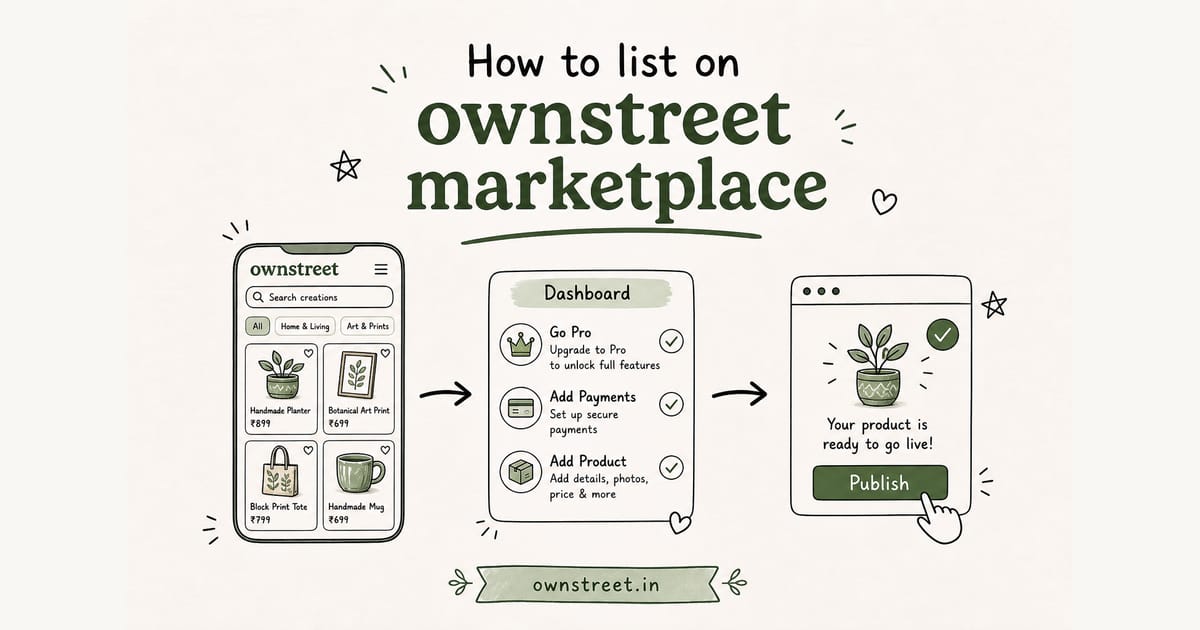
You want the exact Dashboard path, not another platform overview. Listing is opt-in discovery: buyers browse /marketplace, open your store, and pay with UPI on your page. You do not re-upload products. This guide covers eligibility, the pitch form, categories, price range, publish, Featured (Pro Max), and auto-unpublish. Product overview: Creator marketplace India. Buyer side: Best digital product marketplace India.
Quick answer
Quick path: payments ready (bank payouts or live Razorpay) → username + ≥1 live product → ≥1 completed paid sale → we auto-list → Dashboard → Marketplace to edit pitch, categories, price range. Remove anytime. 0% ownstreet platform fee on those sales. Razorpay gateway fees still apply. Plans: Pricing.
What listing is (and what it is not)
- It is a discovery card: pitch, categories, price band, Visit store.
- It is not a second product catalog or a marketplace-hosted cart.
- Buyers checkout on ownstreet.in/yourusername with your payments setup.
- Products stay on your store. Marketplace only stores listing metadata.
- Skip listing if you only want Instagram bio traffic. It is optional.
Think of it like a curated directory grid, then your own store for payment and delivery. That split keeps brand control and avoids a second fee stack. For the broader sell path, see Sell digital products India.
Eligibility checklist before you open the form
| Requirement | Why buyers need it |
|---|---|
| Bank payouts active or live Razorpay keys | Visit store must lead to working UPI checkout |
| Username set | Visit store goes to ownstreet.in/username |
| At least 1 live (active) product | Empty stores waste marketplace clicks |
| At least 1 completed paid sale | Proof checkout works end to end |
| Account not restricted | Banned or locked accounts stay off the public grid |
Free plan can list after first paid sale. If payments are still pending, finish Dashboard → Payments first. Razorpay walkthrough: Razorpay setup for digital products India. Bank payout context: ownstreet bank payout how it works.
Note
Test keys and incomplete bank approval block eligibility. The dashboard shows the exact reason so you can fix one item at a time.
Step-by-step: how to list on ownstreet marketplace
1. Open Dashboard → Marketplace
Sign in at ownstreet.in, go to Dashboard, then Marketplace. If you are not eligible yet, you will see a checklist instead of the create form. Complete each item, refresh, then continue.
2. Write a pitch buyers can scan on mobile
Max 200 characters. Lead with what you sell and who it is for. Add one proof line if you have it (students helped, presets used, templates sold). Avoid vague lines like "digital products for everyone."
- Good: "Warm Lightroom presets for Indian outdoor shoots. Used by 200+ photographers."
- Good: "UPSC PDF notes + weekly planners. Instant download after UPI."
- Weak: "Creative stuff for creators. Check my page."
3. Pick up to 3 categories
Categories power filters and SEO pages such as Canva, Notion, PDF, presets, and planners. Choose the niches buyers actually search. You can add a custom category if yours is missing, still capped at 3 total.
4. Choose a price range band
Pick Free, Under ₹300, ₹300–₹999, or ₹1,000+. Match the band to your main offer, not your cheapest freebie. Buyers filter by range before they open a store.
5. Create, preview, then publish
- Hit Create listing. Preview the card as you type.
- Publish when eligibility is green so you appear on the public marketplace.
- Use View on marketplace to confirm your card in the grid.
- Edit pitch or categories anytime from the same dashboard page.
Pro vs Pro Max on the marketplace
| Plan | Listing | Featured badge | Relevance sort |
|---|---|---|---|
| Free | Yes after first sale | No | Standard |
| Pro (₹299/mo) | Yes after first sale | No | Standard |
| Pro Max (₹799/mo) | Yes after first sale | Yes | Priority when sorting by best match |
Featured syncs with Pro Max automatically. Seller explainer: ownstreet marketplace featured listing. Full plan comparison: ownstreet Pro vs Pro Max. Worth-it framing: Is ownstreet Pro worth it.
Fees when a marketplace buyer buys
ownstreet takes 0% platform fee on marketplace-originated sales. You still pay standard Razorpay gateway fees on the payment. That is different from marketplaces that take a cut of Discover-style traffic. See Gumroad pricing for how Discover-style fees work elsewhere, and NPCI UPI overview for why INR + UPI converts better for Indian phone buyers. Head-to-head: Gumroad Discover vs ownstreet marketplace.
Tip
Keep Instagram bio pointed at your store URL. Marketplace is a second channel, not a replacement for Reels and Stories. Promote tips: How to promote digital products India.
When your listing hides (auto-unpublish)
- Payments stop being live-ready (keys disconnected, bank approval not active).
- You unpublish every live product.
- You have zero completed paid sales.
- You remove yourself from Dashboard → Marketplace.
- The account becomes restricted.
Hidden listings protect buyers from dead Visit store clicks. Fix the reason shown in Dashboard → Marketplace, then publish again. Help hub: /help.
Pitch and category mistakes that kill clicks
- Pitch talks about you, not the product outcome.
- Categories are random ("other" + two unrelated niches).
- Price range is Free while your hero product is ₹1,499.
- Store page still has placeholder copy or no product images.
- Only test checkout works, so marketplace traffic bounces at pay.
Before you list, open your public page on mobile and buy your own product once with a small price. If that path is slow, fix the store first. Conversion guide: Link in bio not converting India.
After you list: what buyers actually do
- Browse /marketplace or a category page.
- Filter by price or scan Featured cards.
- Tap Visit store on your card.
- Pay with UPI on your page and get instant delivery.
You do not manage a separate marketplace inbox for checkout. Support stays on your usual email or WhatsApp. Shoppers comparing options: Buy digital products India.
Mobile checkout reality check for how to list creators
Most Indian buyers decide on a phone with GPay or PhonePe already open. If your page fights that habit, they leave.
- Test on mobile data.
- Show ₹ on the product card.
- Unlock the file only after verified pay.
- Keep support email visible after checkout.
- Start: Signup.
What to measure for two weeks for how to list creators
Vanity views lie. Completed pays, refund reasons, and time-to-delivery tell you if the offer is real.
- Log checkout starts vs paid orders.
- Note every "UPI hai?" reply.
- Fix the biggest drop-off first.
- Change one variable at a time.
- Plans: Pricing.
Bottom line
How to list on ownstreet marketplace is mostly automatic after payments, username, one live product, and one completed paid sale. Edit pitch and categories in Dashboard → Marketplace, then keep your store conversion-ready. Discovery without a second cart, and 0% ownstreet fee on those sales. Broader path: Get discovered selling digital products India.
FAQ: Marketplace listing on ownstreet
Do I upload products again to list?
No. Keep products on your store. The listing is pitch + categories + price range plus a link to your page.
Can Free plan creators list?
Yes. Free plan can list after one completed paid sale with payments ready and a live product. Featured badge is Pro Max only.
Can buyers pay inside the marketplace grid?
No. They visit your store and pay via your connected payments (UPI, cards, wallets through Razorpay).
How long until I appear after publish?
Usually right away on the public marketplace once status is published and eligibility is green. Hard refresh if you just fixed payments.
Does Featured cost extra per listing?
No separate listing fee. Featured comes with Pro Max (and founder access). Downgrade and the badge drops with the plan. Full explainer: ownstreet marketplace featured listing.
Share this post
Further reading

Lakshath
Founder, ownstreet · ownstreet
Updated Sept 2026